Skip to main content



The home golf simulator market has never been better, or more confusing. What started as niche, expensive technology reserved for tour players and high-end golf facilities has matured into a category with options at every price point, from under a thousand dollars to setups that rival what you find in commercial bays. The problem is that a lot of buyers jump into the purchase without understanding what separates a satisfying long-term investment from a unit that collects dust in the corner after six months.
This guide cuts through the noise. Whether you are looking for a basic indoor golf simulator for home practice or a premium immersive setup, knowing what actually matters before you buy saves you both money and disappointment.
👉 Explore K&S Electronics and Security Indoor Golf Simulator Installation Services
Why More Golfers Are Bringing the Game Inside
Year-round practice used to mean a net in the backyard or a trip to the range in February with frozen fingers. That is no longer the only option. Today’s home simulators deliver accurate ball and club data, realistic course simulation, and meaningful improvement in swing mechanics – all from a spare room, a garage bay, or a finished basement.
Golf simulator features have improved dramatically in the last few years. Launch monitors that once cost tens of thousands of dollars have been replicated with technology that most recreational golfers can actually afford. At the same time, simulator software has improved to the point where some of the most respected courses in the world are available in photorealistic renderings. The case for building a home setup has never been stronger.
Start with Your Space, Not Your Budget
The biggest mistake home buyers make is falling in love with a launch monitor before measuring their room. Space is not optional. It determines which systems will work safely and which ones simply cannot function correctly in your environment.
Ceiling height is the first constraint. Ten feet is the widely accepted ideal for a full swing with a driver, and it is the number you should plan around if possible. Nine feet can work for shorter players with compact swings, and some buyers make 8.5 feet function, but those setups come with real limitations on club selection and swing freedom.
Width matters too. A room at least nine to ten feet wide accommodates a standard simulator, but to centre the tee and allow both left- and right-handed players to swing comfortably, you want fourteen feet of width as a minimum.
Room depth is where technology choices diverge significantly. Radar-based launch monitors generally require more space behind the ball to capture accurate flight data indoors – many need seventeen to twenty feet of total room depth to produce reliable driver numbers. Camera-based systems are more forgiving of depth but come with different trade-offs on what data they capture directly. Measure your space in all three dimensions before you look at a single product.
Understanding the Technology: Launch Monitors Explained
At the core of every home golf simulator is the launch monitor. This is the device that captures what happens at and after impact – ball speed, launch angle, spin rate, carry distance, and more. There are two primary technology types, and the distinction matters for how your room is used.
Photometric systems use high-speed cameras to capture impact. They are often mounted overhead or positioned at the side or front of the hitting area, and they tend to perform consistently in smaller spaces. Overhead-mounted systems like those from Uneekor are particularly popular for permanent home installations because they stay out of the way, allow a flexible hitting area, and work regardless of which hand you play from.
Camera systems generally excel at club face and impact data, which is valuable for golfers working on specific swing improvements.
Radar-based systems use Doppler technology to track the ball in flight. They are often more portable and better suited for golfers who also want to use their monitor outdoors at the range. The trade-off indoors is that they need more room depth to function accurately, and some require specific positioning behind the ball that limits flexibility. Hybrid systems that combine radar and camera data have emerged as a strong middle ground, offering more complete data sets with fewer positional constraints.
The Indoor Golf Simulator Features That Actually Matter
The feature list on any simulator can run long. Some of it matters. A lot of it is marketing. Here is what actually changes the quality of your experience at home:
- Data accuracy and completeness: Not all launch monitors measure the same things. Some capture ball data only – speed, launch angle, and carry. Others also measure club data – face angle, attack angle, path, and impact location. If you are using the simulator purely for entertainment and casual practice, ball data is often sufficient. If you are trying to make actual swing improvements, club data is essential.
- Software compatibility: The launch monitor is the hardware, but the software is the experience. The major simulation platforms – GSPro, E6 Connect, and TGC 2019 – each have their own course libraries, graphics quality, and subscription structures. Not every launch monitor works with every platform. Confirm compatibility before you buy either component.
- Shot delay: The pause between hitting a ball and seeing the result on screen varies between systems. Shorter delays feel more natural and keep the experience immersive. Some budget systems have noticeable lag that breaks the realism of play.
- Portability versus permanence: A portable launch monitor gives you flexibility. It can move to the backyard, travel to the range, or be packed away when the space is needed for something else. A permanently mounted system requires installation but often delivers a more seamless experience. Think about how you actually plan to use the space before deciding.
What a Home Golf Simulator Actually Costs
Budget shapes every decision in a home simulator build, and it helps to understand what you actually get at each price point rather than chasing the lowest number available.
Entry to mid-level setups, priced from $3,000 to $10,000, is where the best golf simulator value lives for most recreational golfers. This range supports genuine simulation – projected onto an impact screen through a quality projector – with accurate ball and club data and access to major software platforms.
Premium setups from $10,000 to $20,000 and beyond approach near-commercial quality.
One component that is consistently underestimated in budget planning is the hitting mat. A low-quality rubber mat absorbs impact poorly and transfers shock directly into the wrists and forearms. It is the most-cited regret in the simulator-owning community and is worth spending properly on from the start.
Indoor Golf Simulator Software: The Part Most Buyers Overlook
The simulator software determines what courses you can play, how the graphics look, and how the experience actually feels during a session. Most buyers research the launch monitor thoroughly and give the software a passing thought. That order should be reversed.
GSPro is considered the best-value simulation software available in 2026, with a low annual subscription and a large library of courses that is constantly expanding through a community of developers. It is PC-only and requires a reasonably capable gaming computer to run smoothly.
Every software platform has a subscription model, and those costs add up. Factor annual software fees into your total budget and check whether your chosen launch monitor includes any complimentary software access before committing.
Home Golf Setup Tips Before You Commit
A few practical home golf setup tips that experienced simulator owners consistently recommend before any money changes hands:
- Measure your ceiling, width, and depth with a tape measure, not an estimate. Write the numbers down. Then cross-reference them with the minimum space requirements for every system you are considering.
- Decide whether your setup is permanent or portable before looking at products. These two paths lead to very different systems and different priorities around installation, mounting, and flexibility.
- Try before you buy if possible. Many indoor golf facilities and simulator showrooms let you play on specific systems. The difference between systems at similar price points is often felt more clearly in person than it reads on a spec sheet.
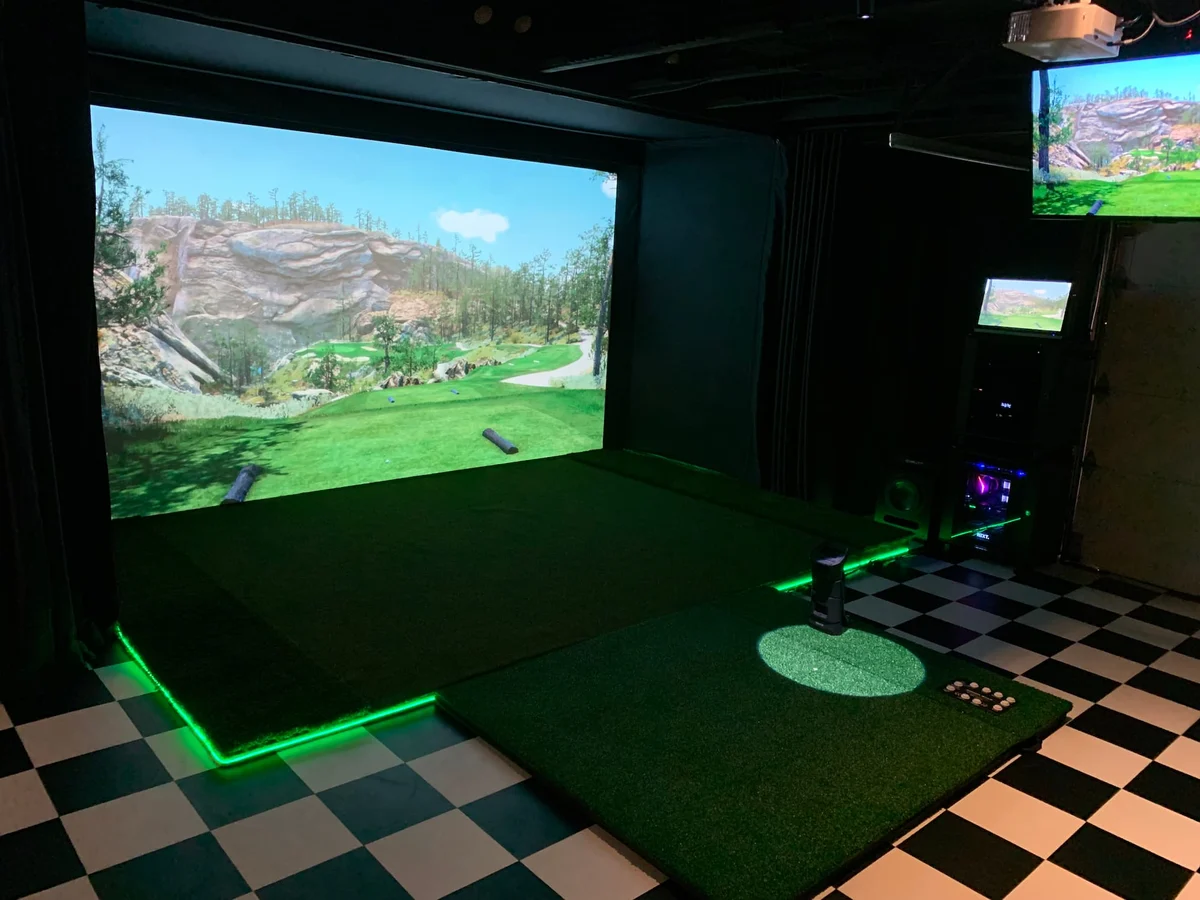
- Plan for the full component list, not just the launch monitor. A complete setup includes the monitor, impact screen, enclosure or netting, projector, hitting mat, and a computer or device to run software. Each of these has a quality floor worth respecting.
Ready to Build Your Simulator? K&S Can Help.
K&S Electronics and Security designs and installs Carl’s Place Golf Simulators for homeowners across Winnipeg, Headingley, Selkirk, and surrounding areas. Book a free consultation, and we’ll assess your space, walk you through your options, and handle everything from equipment selection to professional installation.